Gitmojidex 🔍
Interactive CLI tool built with Bubbletea to visualize gitmoji information. It parses git history for a repository and renders commit statistics in a terminal UI.
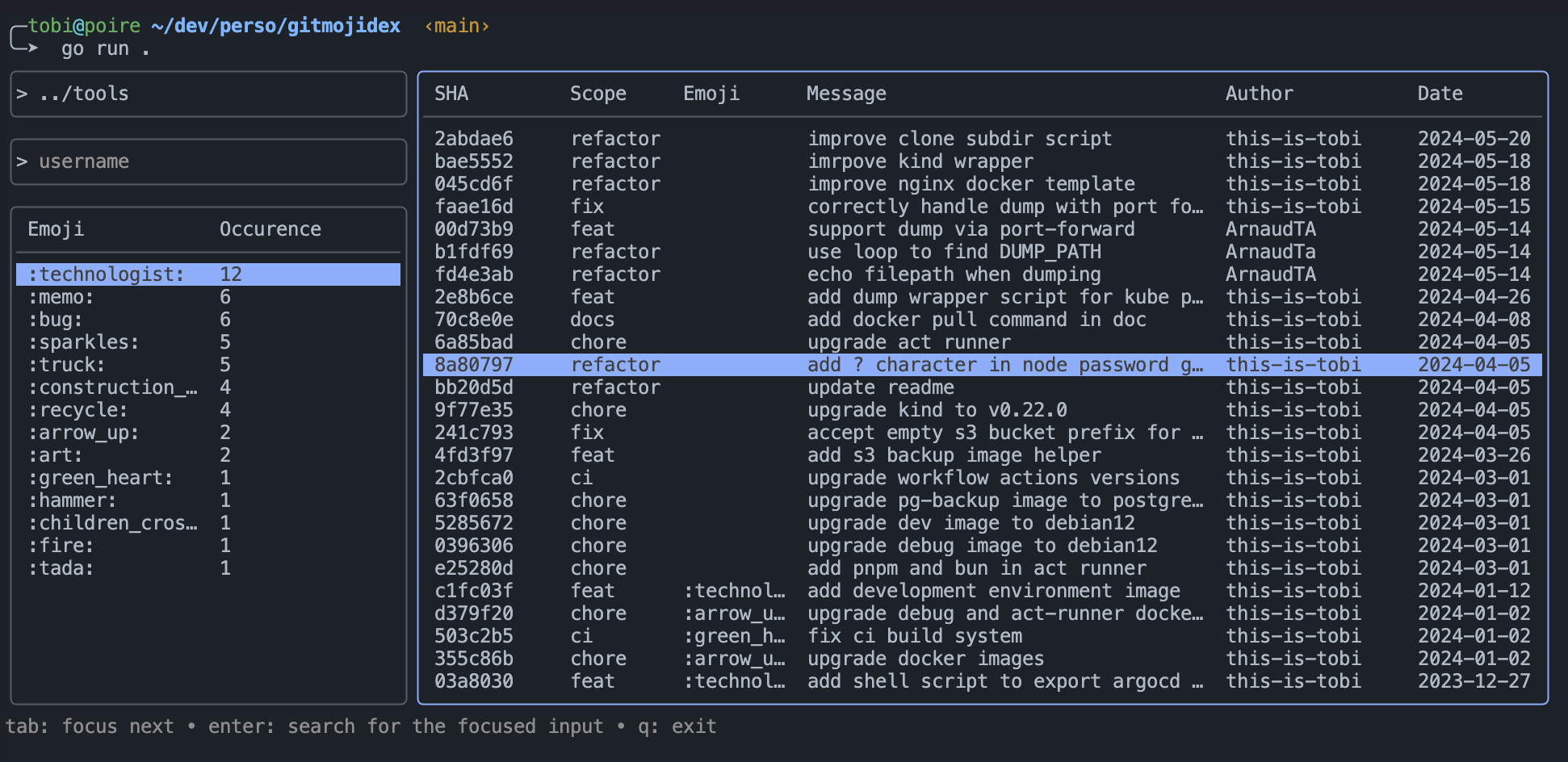
Note: By default, it will try to parse the working directory.
Development
Prerequisites
Install:
- Go 1.25 or later (
gotoolchain)
Build & Run
Clone and build:
sh
git clone https://github.com/this-is-tobi/gitmojidex && cd gitmojidex
go build -o gitmojidex
Run the built binary:
sh
./gitmojidex --path ./ --user ""      # run with defaults
./gitmojidex --emojiless              # disable emoji rendering (useful in some terminals)
You can also use go run while developing:
sh
go run . --emojilessFlags
-p, --path: Path to the git repository (default./).-u, --user: Filter commits by author using a regex.-e, --emojiless: Disable emoji rendering in the UI (falls back to shortnames). Useful if your terminal does not support ZWJ/emoji composition.
Notes
- Some terminals (notably older VS Code integrated terminals) may render combined emoji sequences differently which can affect box-drawing alignment. If you notice broken borders, try running the binary in Terminal.app or iTerm2, or use the
--emojilessflag.
Sources
Take a look at the project sources.